
Managing Multiple Instagram Clients in One Tool (Agency Operations Guide)
One client is a creator workflow. Five clients is an agency workflow. Twelve clients is a different operating system. This guide is for agencies in the 5–20 client range — where tooling decisions either compound margin or eat it.
The five problems agencies hit at 5+ clients
Problem: Logging into 12 different accounts
Fix: Multi-brand workspaces under one login. Switch with a dropdown, not a re-auth dance.
Problem: Forgetting which client posts what when
Fix: Cross-workspace calendar at /planner/calendar — every client's scheduled posts on one timeline.
Problem: Approvals scattered across tools and inboxes
Fix: Unified approval inbox at /planner/approvals — every pending review across all clients in one queue.
Problem: AM cannot see what the team has been doing today
Fix: Activity log at /planner/activity — every comment, edit, share, and approval, filterable by brand or person.
Problem: Per-seat pricing makes it cheaper to keep the work in WhatsApp
Fix: Flat agency tier. Unlimited internal seats. Pricing scales with brands, not headcount.
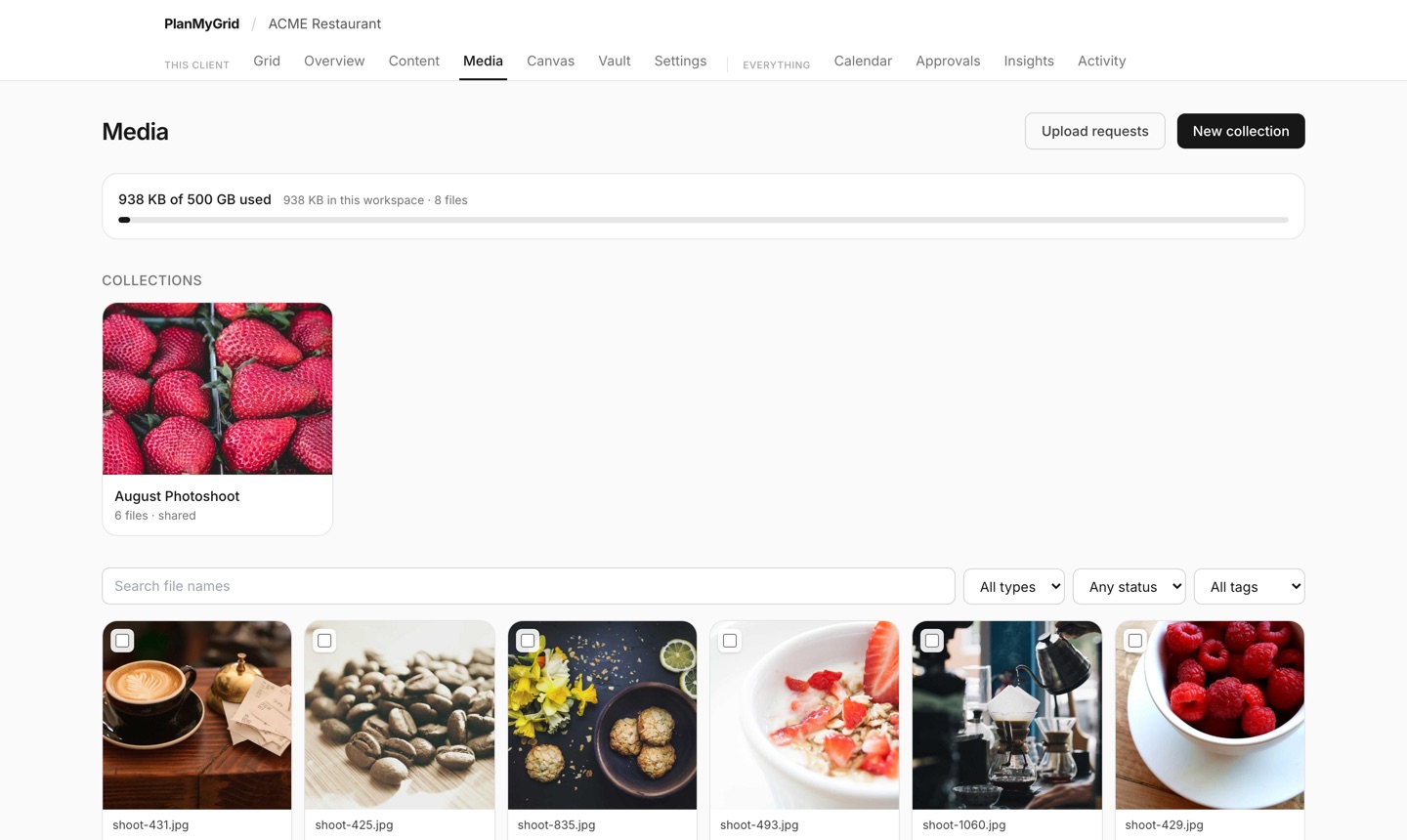
See it in action: Start the free PlanMyGrid trial and clone the demo agency workspace, or jump straight to the Agency tier.
Multi-brand workspaces, the right way
A workspace is one client's container — their grid, their captions, their reviewer chain, their team. The mental model that works at 12 clients is: tenant → workspaces → grids. Your agency is the tenant. Each client is a workspace. Each campaign or content set is a grid inside that workspace.
The mental model that breaks: one Google account per client, one tool subscription per brand, one freelancer login per project. We have seen agencies with 47 logins to manage. Every additional login is an additional point of failure on Day 1 of an employee leaving.
On PlanMyGrid Agency, you get up to 20 brand workspaces under a single agency tenant. Switching between them is a dropdown — and your team membership, billing, and white-label config persist across all of them.
The four cross-workspace dashboards
These are the four agency-level views that make multi-client manageable. Bookmark them.
Cross-workspace calendar
/planner/calendarSee every client's schedule in one timeline. Filter by brand to focus, or zoom out to plan a launch week across three brands at once.
Who uses it: Agency director, AM lead
Unified approval inbox
/planner/approvalsEvery pending review across all your client workspaces. No more checking 8 dashboards. The widget on /insights mirrors this for at-a-glance triage.
Who uses it: Account managers, senior strategists
Cross-brand activity log
/planner/activityEvery team action — edits, comments, shares, sign-offs — searchable and filterable. Perfect for QBRs, retros, and 'who approved that' forensics.
Who uses it: Operations lead, agency owner
Per-workspace insights
/planner/insightsApproval cycle time, content cadence, reopen rate — by brand. Surface the laggards before they become churn risks.
Who uses it: AM, agency owner
Team seats and roles
Per-seat pricing is the agency equivalent of compound interest, but in reverse. Every additional designer or strategist costs you another $50–$200/mo on the legacy tools, which is why agency margin gets squeezed as you grow. The fix is a flat agency tier with unlimited internal seats.
On PlanMyGrid Agency, you can invite as many internal teammates as you want without changing your bill. You scope each seat with a role:
| Role | Permissions | Typical user |
|---|---|---|
| Owner | Full access. Billing, workspace config, seat management. | Agency principal |
| Manager | Add/remove team, configure reviewer chains, approve as agency, full edit. | AM lead, Head of Production |
| Editor | Create/edit content, share for approval. Cannot change billing or remove team. | Strategists, designers, copywriters |
| Viewer | Read-only access. Useful for sales reps or junior staff in onboarding. | AEs, interns, freelancers in trial |
Switching cost: the silent killer
When an AM has to manage 8 clients and your tool requires a re-auth flow to switch between them, you are paying a switching tax measured in seconds per task — and a focus tax measured in mental context lost. Multiply that by 30 client touches per day per AM and you are losing 30+ minutes of effective time daily, before any actual work happens.
The shipping checklist for a planner that scales: 1) workspace switcher dropdown in the topbar, 2) cross-workspace dashboards that do not require a switch, 3) deep links that preserve workspace context, 4) keyboard shortcuts to jump brands. PlanMyGrid ships all four.
Onboarding new clients fast
Every new client needs the same setup: workspace, brand kit, reviewer chain, calendar cadence, client invitations. Done manually, that is a 60–90 minute task. Done with templates, it is a 30-second clone.
Build a template workspace per client archetype (SMB, mid-market, regulated) and clone it on intake. We covered this in detail in agency client onboarding template. The principle: codify your standard setup so the first 10 minutes of a new engagement are configuration, not decision-making.
When real-time collaboration matters
At 5+ clients, real-time editing stops being a luxury and becomes a margin lever. The classic scenario: AM is on a client call hearing a last-minute change, designer is in the planner. Without real-time, the AM Slacks the change, the designer makes it 20 minutes later, the AM checks back, finds the wrong version, and the loop repeats.
With real-time collaboration, the AM types the change while on the call, the designer sees it appear, and the post is updated before the call ends. PlanMyGrid uses Yjs CRDT, the same engine that powers Google Docs. Two-person workflows finish in one pass.
Frequently Asked Questions
How many Instagram clients can one tool realistically handle?
On PlanMyGrid Agency, the cap is 20 brand workspaces with unlimited internal seats. Most agencies running this scale use 5–12 actively at any time. The bottleneck is never the tool — it is the AM bandwidth. Tools that price per-workspace start to break agency economics around 4–5 clients.
Should each client have their own login, or share the agency's?
Neither. The right model is workspace-scoped invitations: the client logs in to a workspace inside your agency tenant, sees only their content, and never sees other clients. PlanMyGrid does this automatically — invited clients are scoped to their workspace and cannot navigate across.
How do you handle a designer who works across all clients?
Add them once at the agency tenant level with the Editor role. They can switch between brand workspaces from a dropdown, and their edits sync in real-time with the AM via Yjs collaboration. No need to re-invite per client.
What is the right cadence for cross-client review meetings?
Most successful agencies run a 30-minute weekly cross-brand review using /planner/approvals as the agenda. Anything stuck for 5+ days gets unblocked, anything sliding past its post date gets escalated, anything with high reopen rate gets a process review. The activity log gives you the data to back the conversation.
Run all your clients on one stack
PlanMyGrid Agency ships up to 20 brand workspaces, unlimited internal seats, cross-workspace dashboards, real-time co-editing, and white-label client experience at $129/mo flat.