
One workspace for every client's content.
Collect client photos and videos, plan the content, get it approved, and hand the files back — all on your own domain. PlanMyGrid is the content workspace for social media agencies. It includes the drag-and-drop Instagram grid planner, free forever for solo creators.
PlanMyGrid Preview
Instant layout updates
One client, start to finish.
The same four steps every month, in one place instead of four tools.
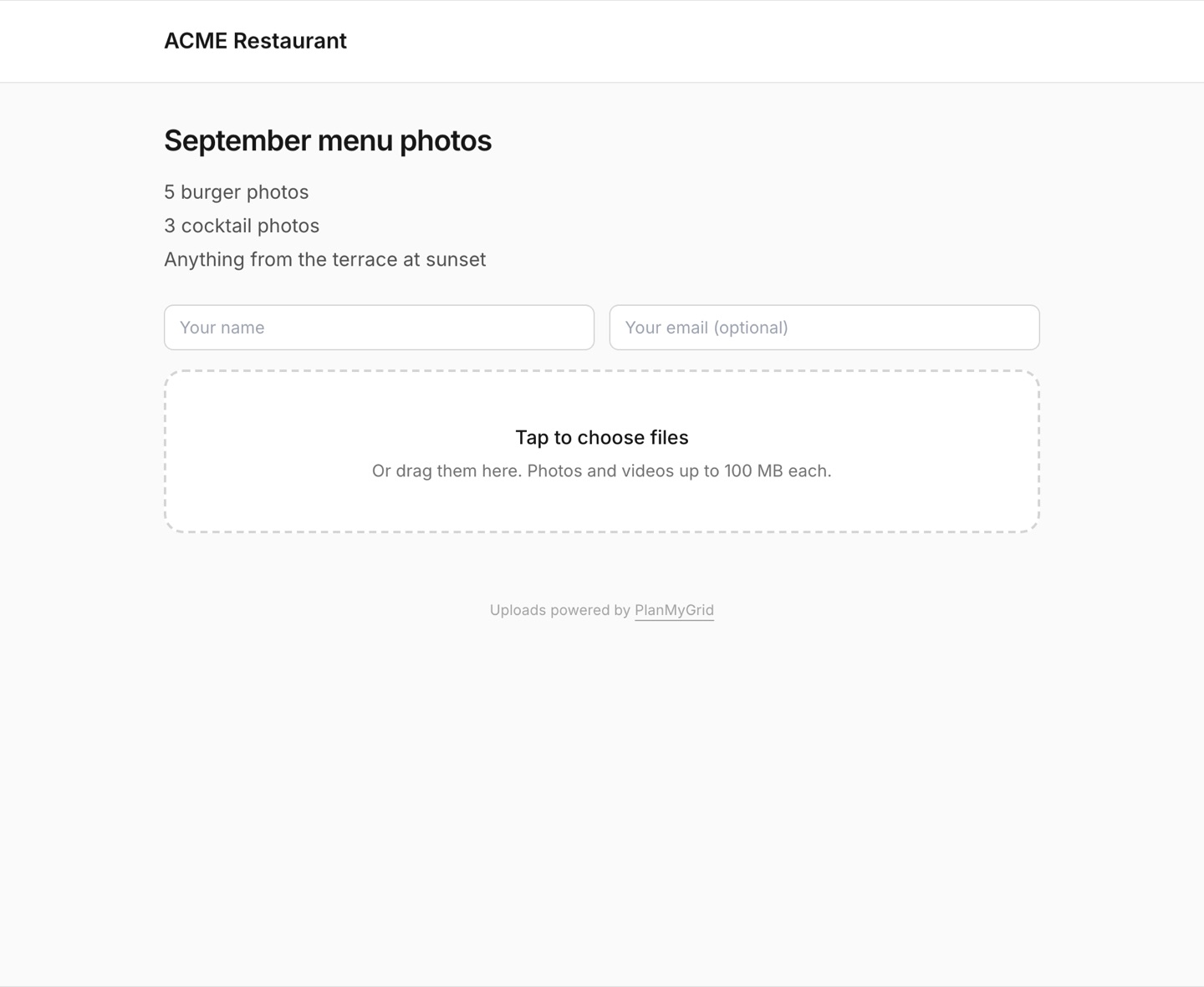
They send you the files
An upload page in your branding. No account, no login, no WeTransfer link that expires.
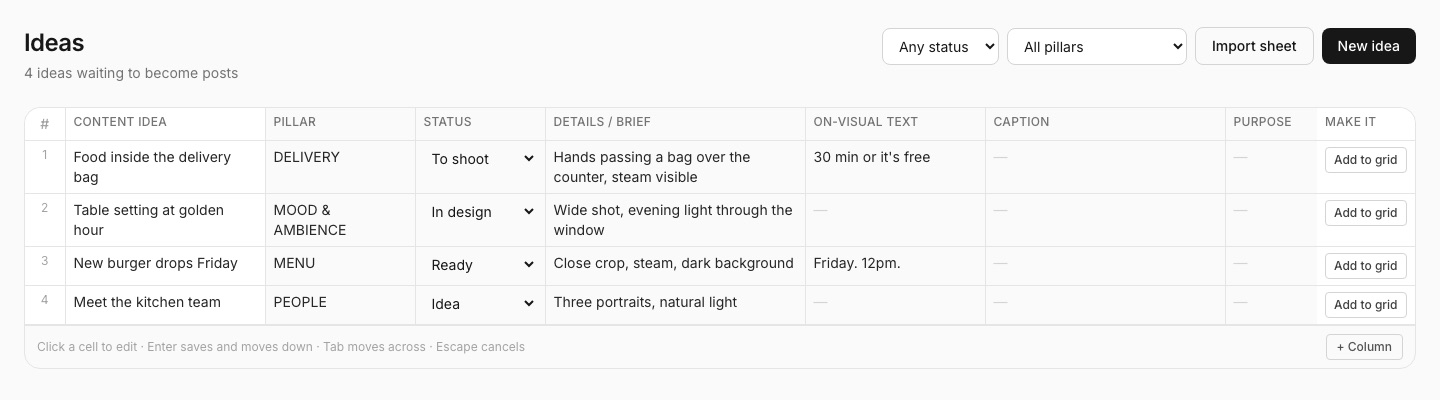
You plan the month
Import the spreadsheet your team already keeps — idea, pillar, brief, status — then turn a row into a real post.
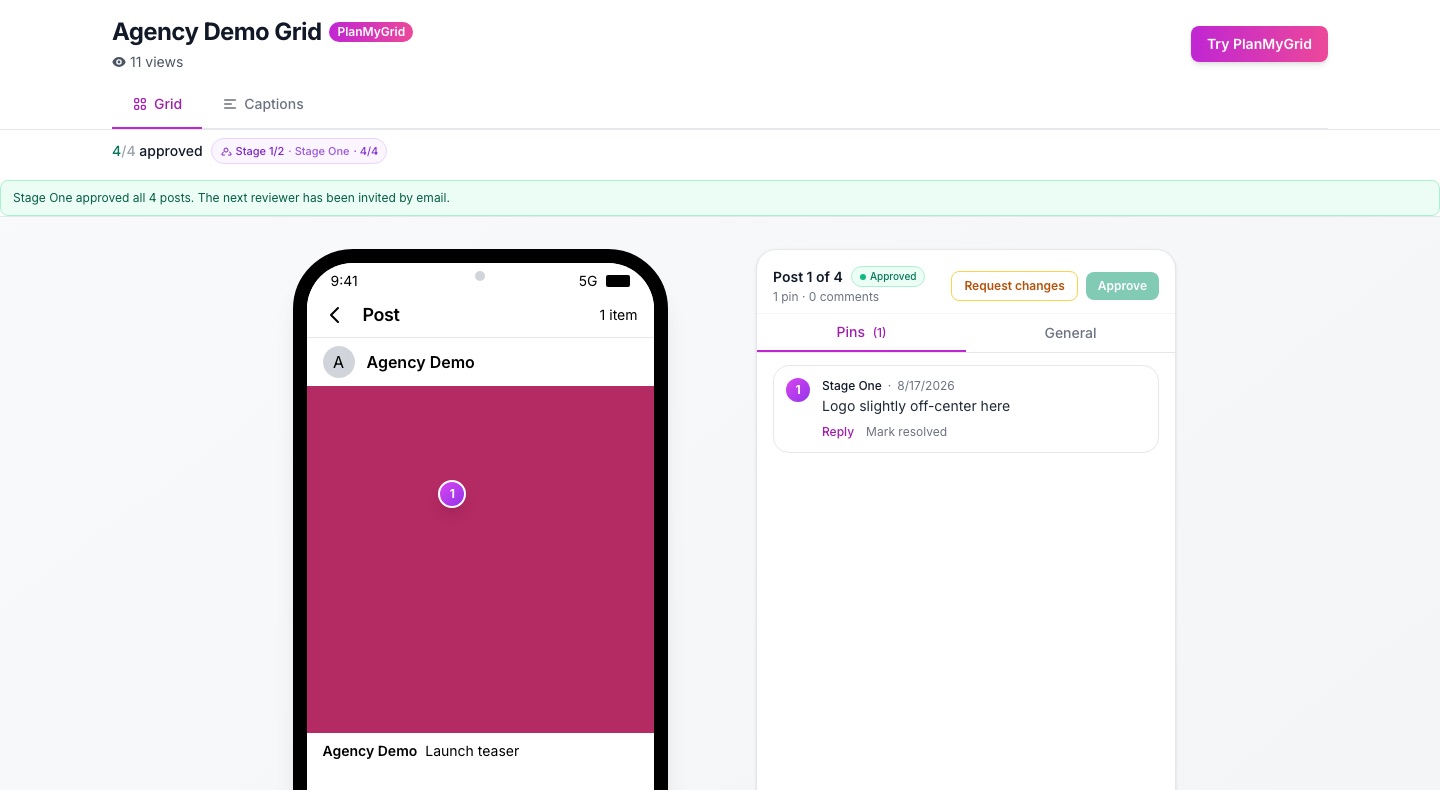
The client signs off, post by post
They comment on the exact spot, approve or request changes, and pass it to the next reviewer. Still no login.
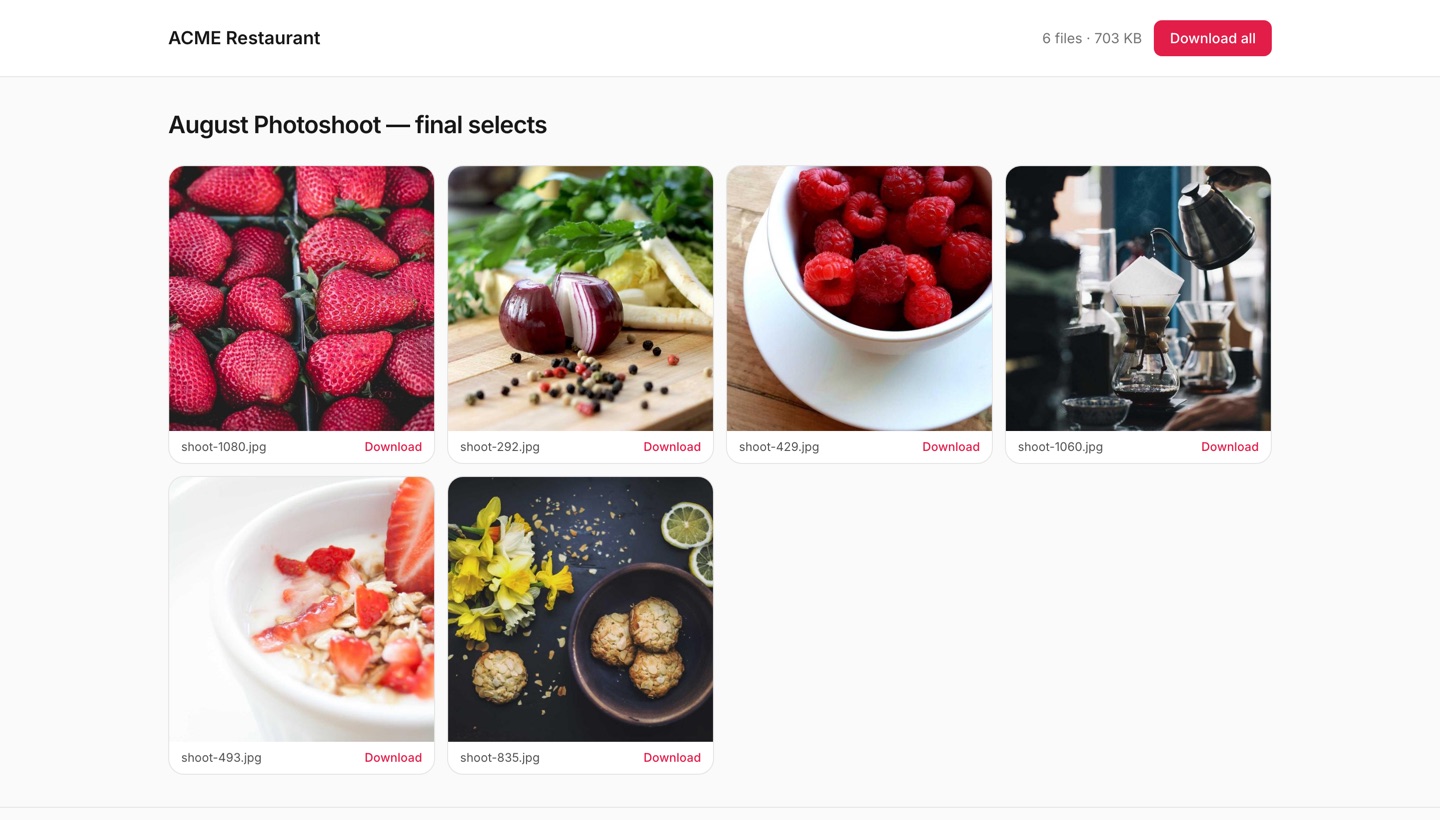
You hand the finished work back
A branded download link with everything final on it. Your name on the page, not ours.
Stop emailing client passwords.
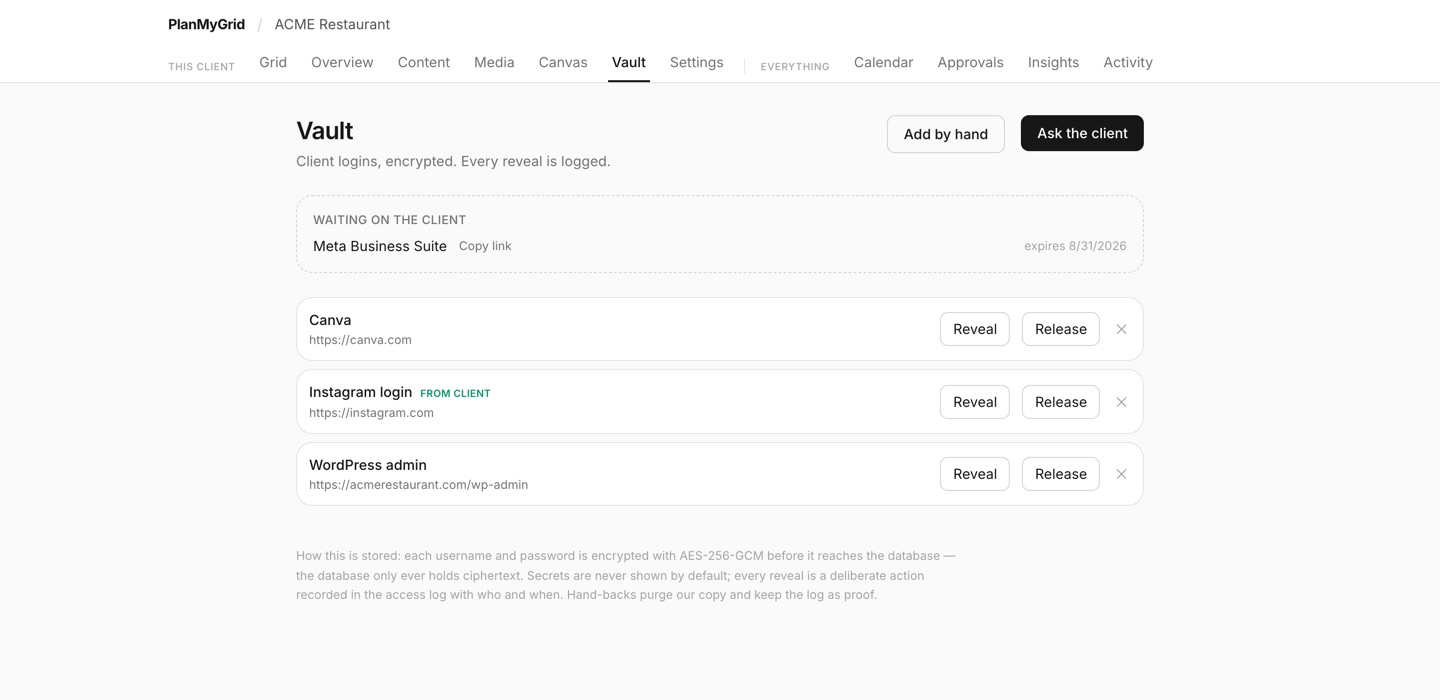
Every agency does it: a PDF with the Instagram login in it, sitting in two inboxes forever. The client hands their credentials over through a one-time link instead. Secrets are encrypted with AES-256-GCM, nobody sees them by default, and every reveal is recorded with who and when.
When the engagement ends, you hand the whole set back and purge your copy — with the log as proof you did.
Your tool. Your domain. Your branding.
The features that change your week. No per-seat pricing, no per-client upcharges.
The Vault — client logins, encrypted
Agencies pass client passwords around in emailed PDFs. Instead, the client hands over any credential through a one-time link. Secrets are sealed with AES-256-GCM, every reveal is logged, and you release the lot back when the engagement ends. Studio and up. See how it works.
Your content sheet, in the product
Import the spreadsheet your team already keeps — content idea, pillar, brief for the designer, production status — and keep working the way you work: click a cell, type, Tab across. Add your own columns as dropdowns or dates, drop the reference shot on the row, then turn a row into a real post on the grid. See the full feature list.
White-label share links
Custom share domain on Agency tier. Per-tenant email sender so approval emails come from your address. Inbound replies thread back into PlanMyGrid. Branded emails. No Powered-by footer. See the full white-label client approval setup.
Multi-brand workspaces
Up to 20 brands under one login (Free/Pro 1, Studio 5, Agency 20). Cross-workspace approvals, calendar, activity feed, and insights roll up across every client. Manage 20 client workspaces from one dashboard.
Sequential reviewer chains
Copywriter then AM then client. Pin comments and markup on exact posts, threaded discussions, caption suggestions, version history. Daily-digest email keeps inboxes sane.
Real-time team collaboration
Yjs CRDT collaboration on posts and profiles. Live presence avatars. Offline edits cached in IndexedDB and synced on reconnect. Manager, editor, viewer roles with effective_plan inheritance.
Plan a clean feed without paying a cent.
Free forever. No login required to start. Drag, drop, ship.
Drag-and-drop grid
Live Instagram preview on desktop, tablet, and phone frames. Rearrange posts, swap media, stage campaign drops in seconds.
AI captions and bio
Captions, hashtags, bio, color analysis, grid analyzer. 2 free AI generations in total, full AI suite on Pro with brand kit context.
Schedule and publish
Content calendar with reminders. Pro publishes Reels, Stories, carousels, and feed posts directly to Instagram. Reels covers, Stories highlights, all in one place.
PlanMyGrid vs the alternatives
Side-by-side comparisons against UNUM, Later, Preview, Plann, Planoly, Canva, and more.
One price for the whole agency.
No per-seat fees. No per-client upcharges. Free for solo, Pro for serious planners, Studio for freelancers, Agency for shops managing 20 brands.
Free
1 grid, 20 uploads. Forever.
Pro
Direct publishing, full AI, 1 brand.
Studio
5 brand workspaces, threaded approvals.
Agency
20 brands, full white-label, team roles.