
Instagram Grid Planner
PlanMyGrid is a free Instagram planner — a visual tool to plan and preview your feed before you post. Drag and drop photos, design your grid layout, and see exactly how your Instagram profile will look. No signup required.
Open Grid PlannerNo account needed. Start planning in seconds.
What Is an Instagram Grid Planner?
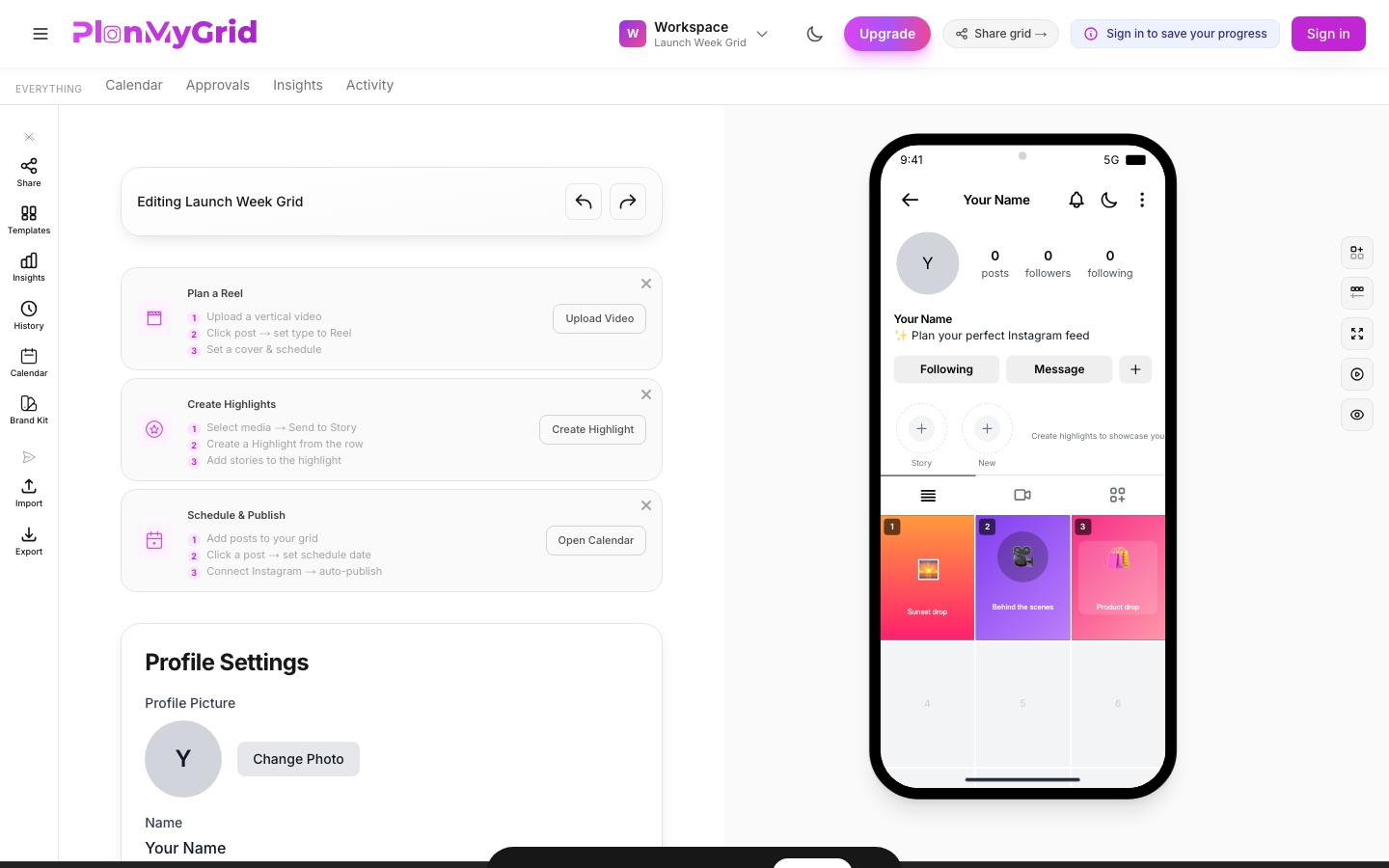
An Instagram grid planner is a tool that lets you arrange upcoming posts in a 3-column grid preview, so you can see how your profile will look before anything goes live. PlanMyGrid is a free Instagram grid planner that works in your browser on desktop and mobile — drag and drop photos, Reels covers, and carousels into a feed preview, then rearrange until the layout fits your aesthetic. Unlike phone-only apps, it gives you a full-size grid preview, shareable client links, and direct publishing in one place.
Drag & Drop Grid Planning
Upload your photos and drag them into a 3-column Instagram grid layout planner that mirrors your real profile. Rearrange until the layout feels right.
AI Captions & Hashtags
Generate captions and hashtags with AI that match your brand tone. Two free AI generations in total, unlimited with Pro.
Share & Publish
Create shareable grid links for client approval, export PNG mockups, or publish directly to Instagram from the planner.
A Desktop Instagram Planner With a Real Grid Preview
Planning a feed on a phone screen is cramped. PlanMyGrid is a desktop Instagram planner that runs in any browser — Mac, Windows, or Linux — with no app to install. The Instagram grid layout planner mirrors your real profile in an iPhone-frame grid preview, so the feed planner view you arrange is exactly what followers will see. Swap posts, test color flow across rows, and preview Reels covers in the grid before you commit.
It is free to start: no signup, no credit card, and your grid saves in the browser as you work. When you are ready, share a preview link, set posting reminders, or publish straight to Instagram. New to feed planning? Read our guides on creating a consistent Instagram feed and the best free Instagram grid planners compared, or check pricing to see what is included free.
Instagram Grid Planner FAQ
Is the Instagram grid planner free?
Yes. The free plan includes 1 active grid, 20 media uploads, 1 share link, and 2 free AI generations (total) (captions, hashtags, bio, color analysis, grid analyzer). Exports are watermarked on Free. Pro is $9/mo for unlimited grids, media, shares, and watermark-free exports.
Do I need an account to plan my Instagram grid?
No. You can open the planner and start arranging your grid immediately — no signup, no credit card. Your work is saved locally in your browser, and you only create an account when you want to sync across devices, share a grid, or publish to Instagram.
Does the grid planner work on desktop?
Yes. PlanMyGrid runs in any modern browser, so it works as a desktop Instagram planner on Mac, Windows, and Linux — no app download required. You get a full-size canvas, drag-and-drop with a mouse, and an iPhone-frame preview of your profile.
Can clients preview my grid without logging in?
Yes. Every grid can be shared as a link that opens a read-only feed preview — clients see exactly how the grid will look without creating an account. On paid plans, clients can also approve or comment on posts from the same link, still with no login.
Start Planning Your Instagram Grid Now
Join 500+ creators using PlanMyGrid for Instagram grid planning. Free forever — no credit card, no login required.
Start Planning Free