
Agency Client Onboarding Template for Instagram (2026 Checklist)
Onboarding is where agencies make or lose the next 12 months of margin on a client. A clean 60-minute kickoff with a documented system signals competence and sets expectations. A messy ad-hoc start signals chaos and starts the relationship at a deficit. This is the checklist our highest-output agency users actually run.
The 6-section onboarding checklist
Six sections, roughly 90 minutes of total agency work spread over 3 days, capped with a 30-minute client kickoff call. Treat this as the canonical template — clone the workspace per new client and you can run it in 15 minutes by Day 3.
1. Brand kit collection (Day 1)
20 minutes- [ ]Logo files (SVG + PNG, light + dark)
- [ ]Brand colors (HEX + RGB)
- [ ]Brand fonts (TTF/OTF + license)
- [ ]Voice and tone guide (1-pager is enough)
- [ ]Banned words / phrases / topics (legal + brand)
- [ ]Existing content library (Drive/Dropbox link)
- [ ]Reference accounts (3–5 IG handles for inspiration)
- [ ]Past content audit notes (what worked, what didn't)
2. Instagram handover (Day 1–2)
10 minutes- [ ]IG account type confirmed (Business or Creator — required for API)
- [ ]Connected Facebook Page exists and admin access granted
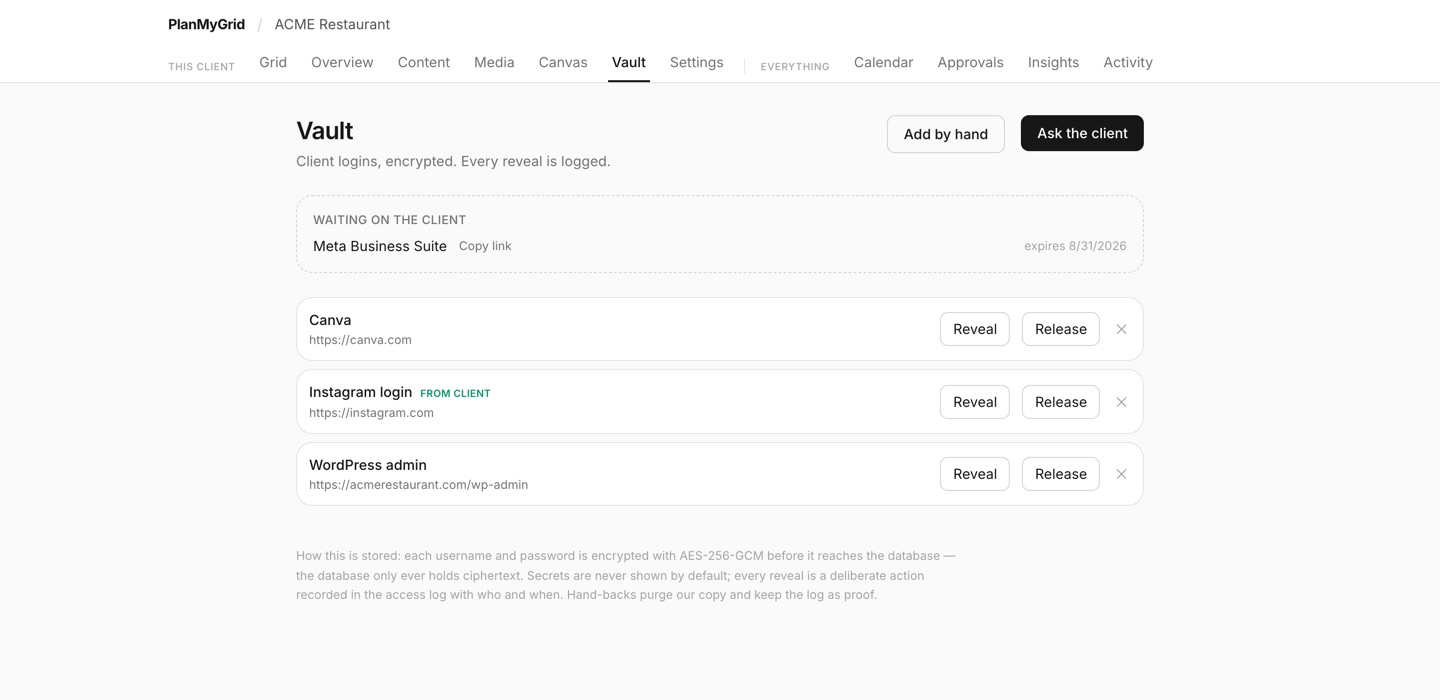
- [ ]Meta Business Suite admin role granted to your agency
- [ ]2FA strategy agreed (shared codes vs. agency 2FA app)
- [ ]Backup recovery email and phone documented
3. Approval cadence + reviewer chain (Day 2)
15 minutes- [ ]Reviewer chain configured (designer → AM → client by default)
- [ ]Stage 1 reviewer assigned (peer designer or content lead)
- [ ]Stage 2 reviewer assigned (AM)
- [ ]Client reviewer email captured (with a backup contact)
- [ ]Approval SLA agreed in writing (e.g. 2 business days at client stage)
- [ ]Reopen policy agreed (full restart vs. resume at rejecting stage)
- [ ]Email digest cadence set (daily by default; weekly for low-volume clients)
4. Calendar setup (Day 2)
10 minutes- [ ]Posting cadence agreed (e.g. 3x feed, 5x stories, 1x reel per week)
- [ ]Best-time-to-post guidance documented per client timezone
- [ ]Initial 30-day content theme calendar drafted
- [ ]Reserved dates: launches, holidays, blackout periods
- [ ]First grid created in PlanMyGrid with placeholders for the first 9 posts
5. White-label client experience (Day 2–3)
10 minutes- [ ]Custom share domain configured (share.your-agency.com)
- [ ]Sender domain DNS records added (SPF, DKIM, DMARC)
- [ ]Test approval email sent to client; deliverability confirmed
- [ ]Client invited to workspace (no-login share link tested)
- [ ]OG preview branded with agency logo and colors
6. Kickoff and handover (Day 3)
30 minutes (live call)- [ ]Walk client through their workspace (5 min)
- [ ]Show how to approve a post via email link (5 min)
- [ ]Set expectations: turnaround time, escalation path (5 min)
- [ ]Agree QBR cadence (monthly default)
- [ ]Send recap email with all links and SLAs in writing
Run this checklist: Spin up a free PlanMyGrid trial, build a template workspace using the sections above, and clone it for every new client. Move to Agency tier when the white-label step matters.
The kickoff email template
Send this 24 hours before the kickoff call. Replace [Client], [Agency], and the time:
Subject: [Client] x [Agency] — Kickoff tomorrow at 10am
Hi [Client name],
Excited for our 30-minute kickoff tomorrow. Here is what we will cover:
- Walk you through your workspace (5 min)
- Show you how to approve posts via email (5 min)
- Agree on the approval SLA and post cadence (10 min)
- Q&A and next steps (10 min)
Before the call, two quick asks:
- Add approvals@your-agency.com to your safe-sender list
- Confirm the email address you want approval emails to go to
Talk soon,
[Your name]
Setting reviewer chains during onboarding
The reviewer chain configured at onboarding is the chain that runs for the next 12 months. Get it right on Day 2 and you do not have to fight about process during a fire on Day 90. A few principles:
- • Default to the canonical 3-stage chain (designer → AM → client) for new SMB clients.
- • For mid-market, add a brand-side strategist as Stage 4.
- • For regulated industries, add legal as Stage 2.5.
- • Always document the SLA per stage in writing in the kickoff recap email.
- • Configure the chain as a workspace template in PlanMyGrid so future grids inherit it automatically.
See sequential approval workflow for Instagram for the deeper breakdown.
White-label setup during onboarding
The single biggest signal of agency quality on Day 1 is the share link. If your first email to the client comes from noreply@vendor.com, you have already shown the client your stack. The fix:
- Add the white-label DNS records to your agency domain (one CNAME for share, three TXT/CNAME records for SPF/DKIM/DMARC).
- Wait 5–15 minutes for propagation. Verification is automated.
- Test by sending a sample approval email to your own work address. Confirm headers show DKIM=pass and SPF=pass.
- Send the client's first invitation from your authenticated agency domain.
Full DNS walk-through: how to white-label a social media tool for clients.
The first 30 days, day by day
- • Day 1. Brand kit collection. Workspace creation. White-label DNS records submitted.
- • Day 2. Reviewer chain configured. First grid drafted with placeholders. Calendar cadence agreed.
- • Day 3. Kickoff call. Client invited to workspace. Recap email sent with all SLAs in writing.
- • Day 5. First batch of 9 posts (one row of grid) drafted internally. Stage 1 review begins.
- • Day 7. First batch enters client review.
- • Day 9. First posts approved and scheduled.
- • Day 14. First posts go live. AM checks in with client for feedback.
- • Day 30. First retro. Review cycle time, reopen rate, and client satisfaction. Adjust process if needed.
Frequently Asked Questions
How long should a new client onboarding take?
End-to-end, the technical setup (workspace, brand kit, reviewer chain, white-label, first grid) should take 60–90 minutes of agency-side work spread over 2–3 days. The client-facing kickoff call is 30 minutes. Anything longer and you have a process problem, not a client problem.
What is the most common onboarding failure?
Skipping the white-label step on Day 1. Agencies wait until the first grid is ready, send the first share link from a vendor domain, and the client immediately notices. The fix: configure the custom share domain and sender as part of intake, not as a launch-day item. PlanMyGrid Agency makes this a 15-minute DNS step.
Should onboarding be templated per client archetype?
Yes. SMB, mid-market, and regulated/enterprise have different reviewer chains, different SLAs, and different documentation needs. Build a template workspace per archetype in PlanMyGrid and clone it on intake. Cuts setup from 90 minutes to 15.
How do I get clients to actually fill out the brand kit?
Stop sending Notion docs and asking them to fill it in. Run a 30-minute kickoff call where you screen-share a brand kit form and capture answers live. Conversion goes from 30% (async fill) to 95% (live fill). The client also feels like the work has started, which builds early goodwill.
Related reading
Codify your onboarding as a workspace template
On PlanMyGrid Agency, build the template once and clone it per client. White-label, reviewer chains, and brand kit setup all transfer.