
Email-Based Instagram Approval: Reply-by-Email Workflow Explained
Most approval tools assume clients want to live in an app. They do not. Clients want to live in their inbox. The agencies with the lowest cycle times have figured out how to make email itself the approval surface — sender domains they own, reply addresses that route to webhooks, and a workflow where the client never opens a third-party tab.
Why email beats apps for approval
Watch a client's actual approval behavior over a month and three patterns emerge. They process email between meetings. They hate creating new accounts. They forget which app they were supposed to log into. The agency that respects these patterns wins.
Email-first approval beats app-first because it removes the activation step. The client gets an email, sees the post in the email body (with grid context preview), clicks approve, and is done. No login screen. No password reset. No tab-switching.
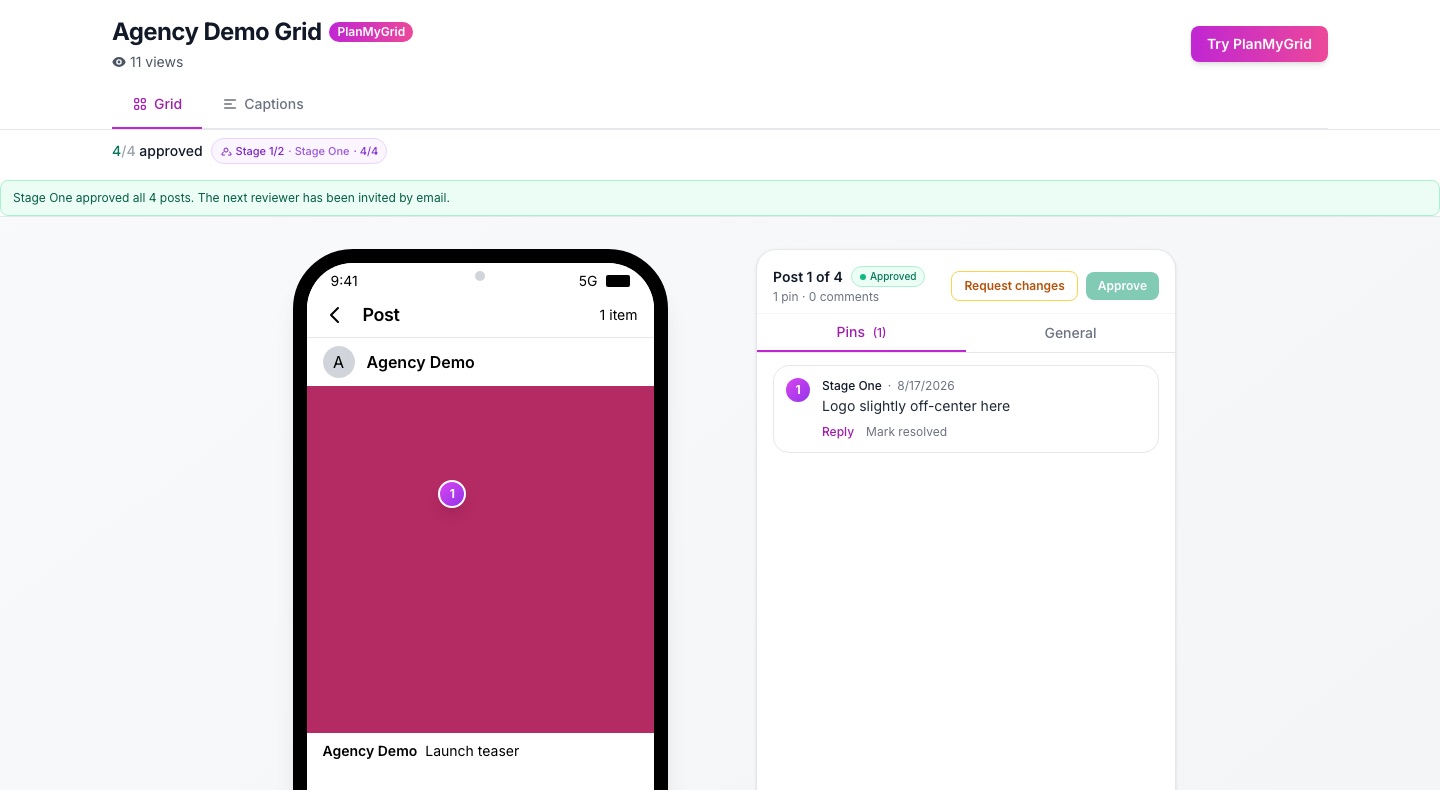
The agencies running the tightest cycle times in our 2026 cycle-time benchmark are almost universally running email-based approval — not app-based.
Try email approval: Spin up a free PlanMyGrid trial, share your first grid for approval, and check your inbox. Per-tenant sender (your domain) is included on Studio and Agency.
The technical anatomy of reply-by-email
Three pieces have to work together: outbound deliverability, encoded reply addresses, and inbound parsing.
1. Outbound deliverability
Approval emails should arrive from your agency domain — approvals@your-agency.com — not the vendor. To make that work without spam-foldering, you need three DNS records:
- • SPF (TXT). Authorizes the vendor's sending IPs to send on behalf of your domain.
- • DKIM (CNAME). Cryptographically signs the email so receiving servers can verify the sender.
- • DMARC (TXT). Tells receivers how to handle messages that fail SPF or DKIM.
Without DKIM, Gmail labels your email "via vendor.com" — instantly breaking the white-label illusion. Without DMARC, enterprise mail servers reject many of your emails outright.
2. Encoded reply addresses
Each approval email goes out with a unique reply-to address like g-A8F2K4@reply.your-agency.com. The token A8F2K4 encodes:
- • The post ID being approved
- • The reviewer ID (which client contact this email was sent to)
- • A nonce (so the address is single-use)
- • A signature (so the token cannot be forged)
The client never sees this token in human-readable form. They just hit reply and the magic happens.
3. Inbound parsing
An MX record on reply.your-agency.com routes inbound mail to a webhook handler. The handler:
- Verifies SPF/DKIM on the incoming message
- Decodes the token to identify the post and reviewer
- Parses the body for keywords (approve, reject, hold, change)
- Applies the action and writes to the audit log
- Sends a confirmation back to the client
Walkthrough: the client experience
Here is what the entire flow looks like from the client's side:
- Client receives an email from approvals@your-agency.com with subject "3 posts ready for review — Acme Brand."
- Email body shows each post inline (image + caption + grid context). One-click approve/reject buttons under each.
- Client either clicks a button (which opens a one-page confirmation in a browser) or hits reply and types "approved."
- Either path triggers the same webhook. The post status updates in the planner instantly.
- Client receives a confirmation email: "You approved 3 posts. Thanks!"
Total client effort: 30 seconds. Total tabs opened: zero. Total accounts created: zero.
Daily digest vs per-post emails
The flip side of email-first: too many emails is worse than zero. If your agency posts 5 times a week per client, that is 5 emails — and clients start ignoring all of them.
The fix is a daily digest. PlanMyGrid groups all pending approvals for a client into one daily email at a configurable time. The client opens one email, approves four posts, sends one batch reply. Cycle time drops because clients reliably engage with the digest where they ignored individual emails.
For high-volume clients (10+ posts a week), a digest is non-optional. For low-volume clients (1–2 a week), per-post emails are fine. Configure per workspace.
Common pitfalls
- • Sending from a generic vendor domain. Defeats the whole point. Always send from your agency domain via DKIM/SPF/DMARC. White-label setup guide.
- • No suppression list. If a client unsubscribes or marks as spam, that signal must propagate. Without it, you keep emailing a poisoned address and damage your sender reputation across all clients.
- • No fallback to web view. Some corporate mail clients strip images or buttons. Always include a plain-text fallback link to a web approval page.
- • Reply addresses that never expire. Tokens should expire after the post is signed off. A reply 3 weeks later should not retroactively approve.
- • No rate limit. An attacker who guesses a token format could spam approvals. Rate-limit per IP and per token.
When email is not enough
Email is the right primary surface for approval. It is not always the right secondary surface. For multi-stage chains where the AM and the designer need to discuss a post in real time, you still want a planner with real-time co-editing. For complex grid-context decisions where the client needs to see how a post sits in the larger feed, you still want a visual approval page.
The right pattern: email is the notification + light approval surface. Rich approval is a one-click web view (no login). Internal collaboration happens in the planner with real-time editing. PlanMyGrid is one of the few tools that ships all three.
Frequently Asked Questions
Why do clients prefer email over an approval app?
Three reasons: zero login friction, native to existing workflow (clients already live in email), and no new password to remember. Asking a client to install or log into a third-party tool is the most reliable way to delay an approval by 24–48 hours. Asking them to click an email link is the fastest path to a yes.
How does reply-by-email approval work technically?
An MX record on a subdomain (e.g. reply.your-agency.com) routes inbound mail to a webhook handler. Each approval email is sent with a unique reply-to address that encodes the post and reviewer ID — for example g-A8F2K4@reply.your-agency.com. When the client replies, the inbound webhook parses the encoded ID, looks up the post, and applies the approval action. The whole loop is invisible to the client.
Is reply-by-email secure?
When implemented correctly, yes. The encoded reply address acts as a single-use bearer token. The system verifies the sender domain via SPF/DKIM, checks that the reply-to token has not been used, and rate-limits per address. Combined with no-login magic links for the visual approval view, you get the convenience of email with the integrity of token-based auth.
Can clients approve with just 'yes' or do they need to click a button?
Both work on PlanMyGrid. The email contains an approve/reject button (clicks open a confirmation page), but a plain-text reply with 'approved' or 'approve' also resolves correctly. Some clients prefer typing on mobile rather than tapping links — the system handles either path.
Related reading
Approve from the inbox, not from another app
Email-first approval ships on PlanMyGrid Studio and Agency. Custom sender domain, DKIM/SPF/DMARC, daily digest, and webhook-routed replies — included.