
How to Plan Instagram Reels, Stories & Highlights in 2026
Your Instagram profile is more than just the grid. Reels, Stories, and Highlights work together to tell your brand story. Here's how to plan all of them in one place.
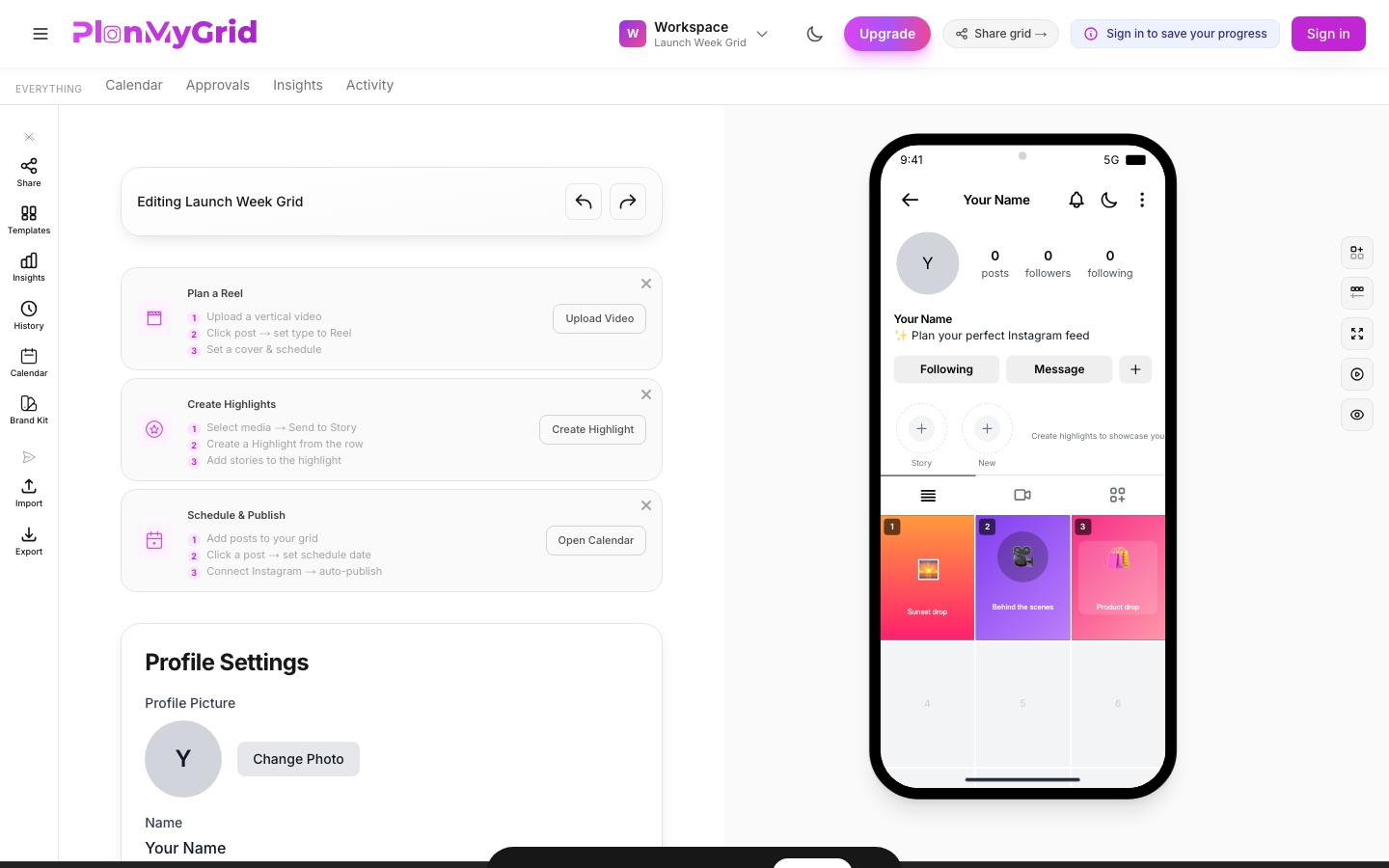
To plan Instagram Reels, Stories, and Highlights together, upload your media to a single library, assign each item a format (Reel, Story, or grid post), and preview the result in a phone-frame mockup of your profile before anything goes live. A visual planner like PlanMyGrid handles all three from one dashboard: set Reel covers, queue Stories, group them into Highlights, and arrange your feed alongside them.
Instagram Content Formats at a Glance
| Content type | Where it appears | How PlanMyGrid plans it |
|---|---|---|
| Reel | Reels tab, main feed, and optionally your grid | Mark media as a Reel, pick a custom cover, preview in the Reels tab |
| Story | Top of followers' feeds for 24 hours | Queue media in the Stories queue and set the posting order |
| Highlight | Permanent circles under your profile bio | Group queued Stories, set a cover icon and title, preview the row |
| Carousel | One grid slot with up to 20 swipeable slides | Set the post type to Carousel, add slides, drag to reorder |
| Grid post | Your profile's 3-column grid | Drag and drop into position in the visual grid view |
Why Plan Reels and Stories?
Instagram's algorithm rewards creators who use every content format. If you're only posting to the grid, you're leaving reach on the table. Here's why planning across formats matters:
- • Reels get 2x the reach of regular photo posts, making them your best discovery tool
- • Stories keep your followers engaged between grid posts and build daily habits
- • Highlights act as a permanent portfolio — your profile's front page for new visitors
- • Planning ahead prevents last-minute scrambling and keeps your content consistent
With PlanMyGrid, you can plan all of these from a single dashboard — no switching between apps. Your feed posts live in the same instagram grid planner view, so Reel covers and grid tiles stay visually consistent.
How to Plan Instagram Reels
Reels are the fastest way to grow your audience on Instagram. Here's how to plan them step by step:
- 1Upload your video to the media library. Drag and drop your Reel into PlanMyGrid's media library. We support MP4, MOV, and most common video formats.
- 2Set the post type to “Reel.” Use the action bar or the post editor to mark the media as a Reel. This tells PlanMyGrid to display it in the Reels tab.
- 3Choose a custom cover. Pick a frame from the video or upload a separate cover image. A strong cover increases tap-through rates significantly.
- 4Preview in the Reels tab. Switch to the phone frame preview to see exactly how your Reel will appear on your profile's Reels tab.
- 5Schedule or publish directly. Set a date and time, or publish straight to Instagram when you're ready.
How to Organize Stories into Highlights
Highlights give your best Stories a permanent home on your profile. Plan them in advance so new visitors see a curated experience:
- 1Send media to your Stories queue. From the media library, select images or videos and send them to the Stories queue with one click.
- 2Create a Highlight. Open the highlights row on your profile preview and tap the “+” button to create a new Highlight.
- 3Add stories to the Highlight. Drag stories from your queue into the Highlight. Reorder them to control the viewing sequence.
- 4Set a cover image and title. Upload a branded cover icon and give the Highlight a clear, short title (e.g., “FAQ,” “Reviews,” “Behind the Scenes”).
- 5Preview how it looks on your profile. The phone frame preview shows your Highlights row exactly as visitors will see it — covers, titles, and ordering included.
Building Carousel Posts
Carousels consistently outperform single-image posts for engagement. They're perfect for tutorials, before-and-afters, and storytelling. Here's how to build them:
- 1Add an image to your grid. Place your first carousel slide in the grid position where you want it to appear.
- 2Set the post type to “Carousel.” Open the post editor and switch the type to Carousel. This unlocks the multi-slide interface.
- 3Add more slides from your media library. Pull in additional images or videos. Instagram allows up to 20 slides per carousel.
- 4Reorder slides and preview the swipe flow. Drag slides to rearrange them. Use the preview to swipe through and make sure the narrative flows naturally.
Free vs Pro — What You Get
PlanMyGrid works for everyone, whether you're just starting out or running a full content operation:
Free Plan
- • Grid planning with drag-and-drop
- • Media library for uploads
- • Basic image editor
- • Phone frame preview
- • Share preview links
Pro Plan
- • Everything in Free, plus:
- • Reels planning and publishing
- • Stories & Highlights management
- • Carousel post builder
- • Scheduling and auto-publish
- • AI captions, hashtags & color analysis
See the full breakdown on the pricing page.
Ready to Plan Your Full Instagram Profile?
Start free — no login required. Plan your grid, Reels, Stories, and Highlights all in one place.
Start Planning Free